Hear the part
you had in mind.
Preview the sound. Inspect its waveform and choose a source range. Adjust gain, filters, EQ, reverb and fades before rendering when the edit calls for it.


Soundnizr is a Windows plugin for finding music and sound effects in Adobe Premiere Pro.
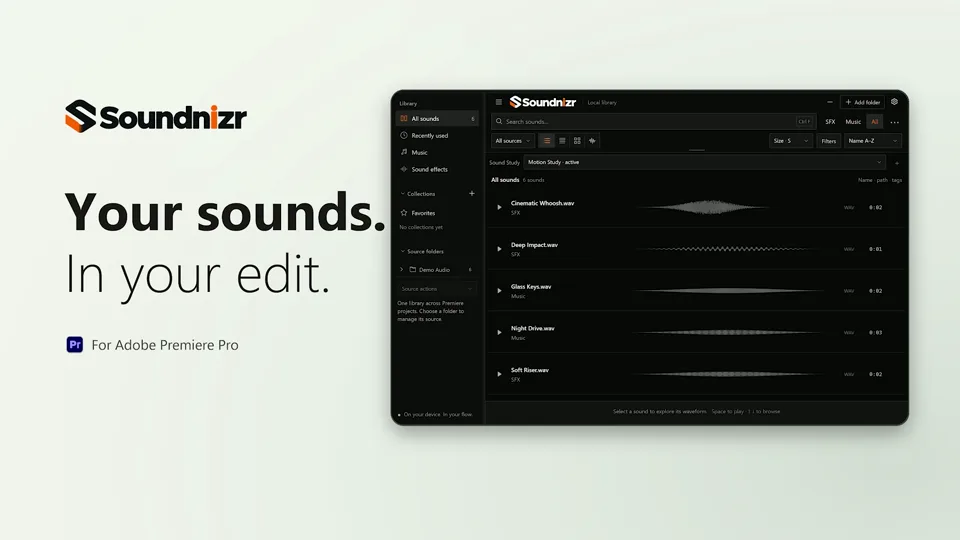
Search your own folders, preview waveforms, and add sounds to your edit.
During free testing, verify your email to claim a perpetual 1.x license.
SOUNDNIZR IN ACTION
Find a sound, preview the waveform, and drop the right part into your Premiere Pro edit.
The video could not play here. Open the MP4.
The film shows the Soundnizr panel in Adobe Premiere Pro. Search your own sound folders, preview a matching clip, then set In and Out points on its waveform. Insert the selected range into the timeline and organize imports into separate Music and SFX bins.
A PLACE FOR EVERY SOUND YOU KEPT.
Your own folders. One clear view.
Built to live beside your edit.

01 / LESS HUNTING
In a folder. On a drive. Somewhere you remember.
Soundnizr is a local sound library manager for video editors. Bring the audio folders you choose into one view, search filenames and metadata, and keep favorites and collections close to your edit.
02 / FROM LIBRARY TO TIMELINE
Find it. Make sure it fits.
Put it where it belongs.
Browse chosen folders. Search filenames and metadata. Keep favorites close, and collect sounds around the way you work.
TRY A SMALL SEARCH4 of 4 sample sounds shown.
Website illustration using generated audio metadata. No access to your files.

Actual interface · browser capture with generated test audio
Preview the sound. Inspect its waveform and choose a source range. Adjust gain, filters, EQ, reverb and fades before rendering when the edit calls for it.
Choose your sequence and track, then insert at the playhead. Full neutral audio can link to the original; ranges and processing use a clearly labeled rendered WAV.
Check compatibility03 / A LIBRARY THAT STAYS LOCAL

Only folders you select are indexed. Soundnizr does not upload your audio or move your source files.
Favorites, collections and tags add a useful layer over the folder structure you already have.
Activate once online and save your signed certificate. After activation, your license works offline without recurring checks.
Soundnizr organizes audio you already own or have permission to use. It indexes folders you choose; it does not include or license a commercial sound-effects collection.
No. Indexing leaves your originals in place. Full neutral insertion can reference the original file. Selected ranges and processing use durable rendered WAVs, which you should keep with your projects.
Windows and Adobe Premiere Pro 26.5 are the current acceptance target. macOS and future Premiere versions are not qualified. Read the requirements.
The preview effects are rendered into audio for insertion. They are not native editable Premiere effects. Full neutral audio can use the original file.
Soundnizr does not require a customer account or subscription. Paid and complimentary licenses unlock the same features. Activate once online, then use the saved signed certificate offline.
Let the edit sound.
Take another look